
Sewing Tips & Tool Advice
Why a Rotary Cutter Leaves Uncut Threads
Eight Needles Journal · Rotary cutting
Small threads joining an otherwise cut edge are a reason to pause. Before pressing harder or buying a bigger cutter, check the blade, the layers and the mat. A short trial on spare fabric can help you distinguish a cutting problem from a slipping or support problem.
Use the pattern of the problem as a clue
| What happens | Possible explanation | A useful check |
|---|---|---|
| Little bridges recur along the cut | A worn or damaged edge; an unintended perforation blade | Confirm the blade type and inspect it using the tool’s instructions |
| The upper layer separates, but the lower one does not | Too much material, shifting layers or insufficient contact | Try one layer of the same fabric on a sound mat |
| The cutter drags after a blade change | Incorrect assembly, trapped debris or stuck-together blades | Stop and check the model’s fitting arrangement |
| Cuts fail over one area of the table | A groove, trapped fibres, uneven support or a mat edge | Try an undamaged part of the cutting surface |
| The cloth bunches or stretches ahead of the wheel | Fabric movement or an edge that is not cutting freely | Review the holding method and blade condition separately |
These observations narrow the checks; they are not a diagnosis on their own. More than one issue can occur at once. A worn blade on a deeply grooved mat, for example, may still cut badly after only one of them is addressed.
First protect the piece you have already cut
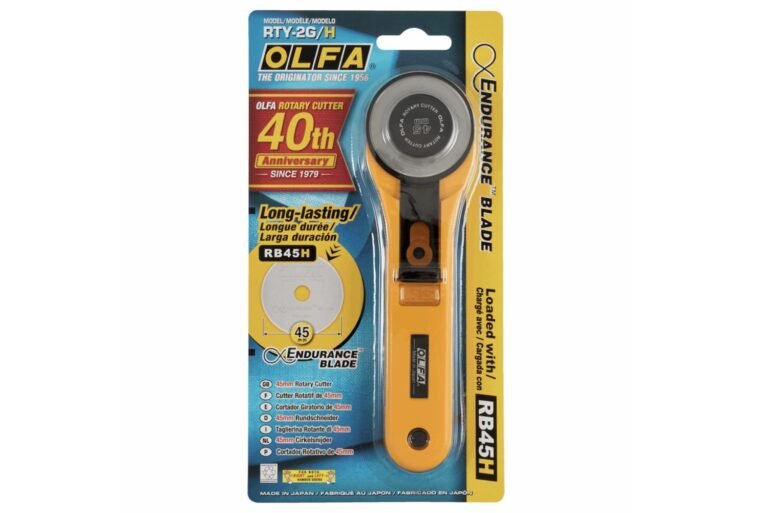
Cover the blade before lifting or inspecting the fabric. Do not pull two pieces apart if threads still join them: that can stretch the edge or tear a section you intended to keep. Where only a few visible threads remain, small sewing scissors may let you separate them without shifting the outline. Keep the fabric supported and see exactly what the scissors will cut.
A broad second pass with the rotary cutter is harder to align once the pieces have moved. If a second cut is necessary, stabilise and check the edge again rather than following it by feel.
Make a controlled comparison
Use spare material of the same type and keep the trial short. Start with one flat layer on a suitable, undamaged part of the mat. Use a smooth rotary blade, a comfortable grip and a clear cutting route.
If one layer cuts well but the planned stack does not, reduce the stack and review how the layers are held. A 45mm wheel does not promise a fixed number of layers across cotton, fleece and dense coated cloth. The amount of blade exposed by the particular body also limits access to the material.
If the failure follows one patch of mat, inspect that area for debris or damage. A deep groove can leave the cloth unsupported beneath the blade. Keep the surface clean using its own care instructions, and move repeated cutting work across the usable area.
Check a newly fitted blade carefully
A new refill does not rule out an assembly problem. Confirm that the packet matches the body and that only the specified blade has been fitted. Thin blades from a multi-pack can stick together. Follow the illustrated order of parts for the exact model; do not copy a screw-and-washer arrangement onto a different quick-change body.
Do not test sharpness with your fingers, force a stuck wheel or improvise with pliers. If the cutter still runs loosely, stiffly or unevenly after the proper checks, stop using it and seek model-specific support.
When replacement is the sensible next step
Replace an edge that is damaged or no longer cuts effectively with the correct refill. There is no useful calendar that fits every sewing routine. Avoid sharpening a rotary blade with a household abrasive or rotary power tool; use the replacement and maintenance method intended for the cutter.
After correcting the problem, repeat the scrap cut before returning to the garment. The result should be a clean, controlled separation without repeated heavy passes. If it is not, revisit the setup instead of treating greater force as the solution.
Compare the relevant tools
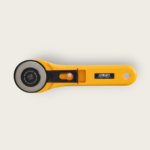 Olfa Rotary Cutter 45mm with Special Endurance Blade (RTY-2/G + RB45H-1)
 Olfa Replacement 45mm Endurance blade : Pack of 1
 Kawaguchi 30cm Cutting Ruler